Categories
Printing

What Is Marketing? A Simple Guide to Marketing Your Business

Marketing is very different from selling, although the two naturally go hand in hand.

Selling is about converting someone into a customer. Marketing is about making sure people know who you are, what you do and why they should consider using you. At its simplest, marketing is about creating awareness, building trust and putting your business in front of the right people. For a small business, marketing doesn’t necessarily mean spending thousands of pounds on advertising. There are many different ways to market a business, from Google Reviews and social media to partnerships, printed marketing and simply getting involved in your local business community.

What is marketing?

Marketing is the process of understanding your customers, communicating the value of your products or services and creating awareness of your business.

Good marketing starts with understanding:

  • Who are your customers?
  • What do they need?
  • What problem can you solve for them?
  • Why should they choose you rather than a competitor?
  • Where do they look for the products or services you provide?

Once you understand this, you can decide how best to reach them.

What is the difference between marketing and selling?

Think of it this way.

Marketing gets you noticed. Selling gets you the order.

Someone might see your business on LinkedIn, read one of your blogs, hear about you from another business, find you on Google or receive something from you in the post. They may not buy from you immediately. But when they eventually need the product or service you provide, they may remember your name. That is the value of marketing. Marketing is often about creating a relationship with potential customers before they are ready to buy.

How can a small business market itself?

There are many different ways to market a business, and not every method will work for every company. Here are some of the marketing opportunities worth considering.

  1. Partnerships and collaborations

Working with complementary businesses can introduce you to an entirely new audience. This could be through collaborations, recommendations, joint promotions or simply building relationships with businesses that have customers who may need your services.

  1. SEO and Google

Search engine optimisation, or SEO, helps your website appear when potential customers search for the products or services you provide. Your website should answer the questions your customers are asking.

For example:

What is hot foiling?

What is embossing?

What paper is best for wedding invitations?

Creating useful content around these questions can help people discover your business.

  1. GEO and AI search

Marketing is changing. People are increasingly asking AI tools questions rather than simply typing a few words into Google. This means businesses should think about GEO Generative Engine Optimisation as well as traditional SEO. Clear, useful website content that directly answers customer questions can help your business become more visible across modern search and AI platforms.

  1. Google Reviews

Reviews are an important part of building trust. Before contacting a business, potential customers often want to know what other customers thought about their experience. Encouraging genuine customers to leave Google Reviews can therefore become an important part of your marketing strategy.

  1. Social media

Social media gives businesses the opportunity to show people what they do rather than simply telling them. LinkedIn, Facebook and Instagram can all be useful, depending on your audience. Don’t just sell. Show your work. Share your knowledge. Introduce your team. Talk about your processes. Answer questions. Celebrate customer projects. People buy from businesses they know and trust.

  1. Video content

Video is another way of showing people what happens behind the scenes. For a traditional print business, for example, seeing an old printing press running can tell a much stronger story than simply saying:

“We have traditional printing machinery.”

Video can demonstrate craftsmanship, processes, people and finished products.

  1. Business networking

Joining organisations such as the Chamber of Commerce, BNI and local business groups can help you build relationships. Networking isn’t necessarily about walking into a room and immediately looking for customers. Sometimes your best opportunity is simply being remembered.

  1. Social and local events

Getting involved in your local community can also be marketing. Events, exhibitions, open days, trade shows and community activities can put your business in front of people who may never have found you online.

  1. Branding

Your branding is more than your logo. Think about how your business looks, sounds and feels across your website, social media, printed material, vehicles, packaging and customer communications. Consistent branding helps people recognise you.

  1. Paid advertising

Google Ads, social media advertising, magazine advertising and other paid campaigns can put your business directly in front of potential customers. The important thing is to understand who you are trying to reach and what you want them to do before spending the money.

  1. Special offers and promotions

Pricing, discounts and special offers can sometimes encourage people to try your business. However, discounting should not become your entire marketing strategy. Your aim should be to communicate value, rather than simply being the cheapest.

  1. Email marketing

Email marketing can be a very effective way of keeping your business in front of existing and potential customers. Newsletters, new product announcements, useful information and special offers can all form part of an email marketing strategy. The key is to give people a reason to open your emails.

  1. Direct marketing

Don’t forget the power of physical marketing. Printed postcards, brochures, letters, sample packs and other direct mail can make your business stand out, particularly in a world where so much communication happens digitally.

  1. Magazine articles and PR

Getting your business featured in a magazine, newspaper, trade publication or online article can help establish credibility. It also gives you something you can share across your website and social media channels.

  1. Vehicle advertising

Your van or company car can become a moving advertisement. A clear logo, website address and description of what you do can turn every journey into another opportunity for people to see your business.

  1. Signage and roadside advertising

Depending on your location, shop signage, roadside banners and other local advertising can help increase awareness among people who live or work nearby.

  1. New business platforms

Platforms such as Etsy and other specialist marketplaces can provide another route to market for businesses selling suitable products. The important thing is to choose platforms where your potential customers are actually looking.

  1. Recommendations

Never underestimate word of mouth. A recommendation from an existing customer, supplier or another business can be incredibly powerful because it comes with an element of trust.

  1. Artificial Intelligence

AI is becoming another marketing tool for businesses. It can help with ideas, research, content creation, customer questions, planning and understanding what people are searching for. But AI shouldn’t replace your own knowledge and personality. Your experience is what makes your content different from everyone else’s.

  1. Be consistent

Perhaps one of the most important parts of marketing is consistency. You don’t need to do everything. It is better to choose a few marketing channels that work for your business and keep using them than to try everything for a few weeks and then stop. Marketing is rarely an overnight success.It is about being seen repeatedly, becoming recognised and building trust over time.

Marketing doesn’t have to be complicated

There is no single formula for marketing a business. For one company, LinkedIn may produce excellent results. For another, Google searches and reviews may be more important. Someone else may generate most of their business through recommendations and networking. The key is understanding your customers and where they spend their time. Marketing is about creating the awareness that eventually gives your sales process something to work with. So, perhaps the simplest way of looking at it is:

Marketing gets your business noticed.

Good marketing gets your business remembered.

Great marketing gives people a reason to choose you.

And ultimately, that is where marketing and selling come together.

Categories
Printing

Hot Foil Printing, Embossing or Debossing?

Hot Foil Printing, Embossing or Debossing? Understanding the Difference

When discussing luxury print finishes, many people ask for foil embossing when they actually mean hot foil printing. While these specialist finishing techniques are often used together, they are very different processes. At Dynamic Print in Norwich, Norfolk, we’ve been producing hot foil printing, embossing, debossing and die cutting since 1990. Whether you’re creating business cards, wedding invitations, presentation folders, certificates or luxury packaging, understanding the difference can help you choose the perfect finish for your project.

What is the Difference Between Hot Foiling, Embossing and Debossing?

In simple terms:

  • Hot Foiling applies metallic or coloured foil to the surface of the paper or card.
  • Embossing raises the artwork above the surface.
  • Debossing presses the artwork into the surface.

Each process creates a different visual and tactile effect, and all three can add value and impact to your printed materials.

What is Hot Foil Printing?

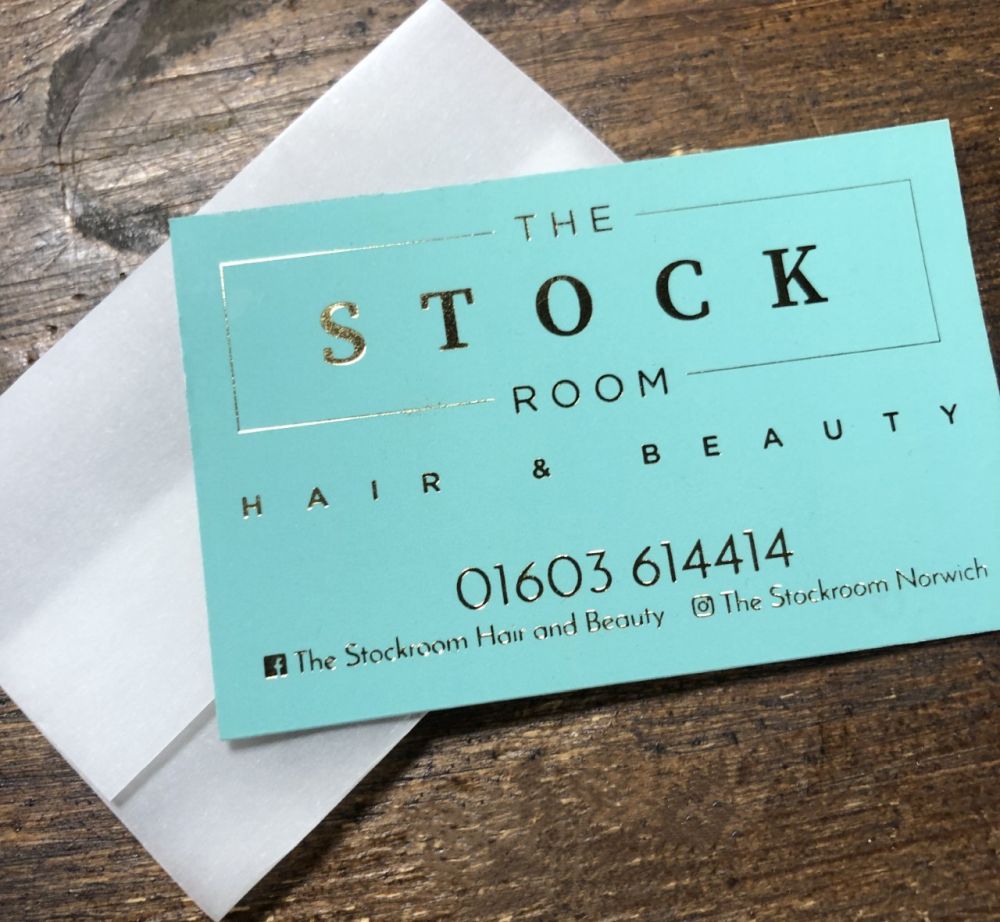
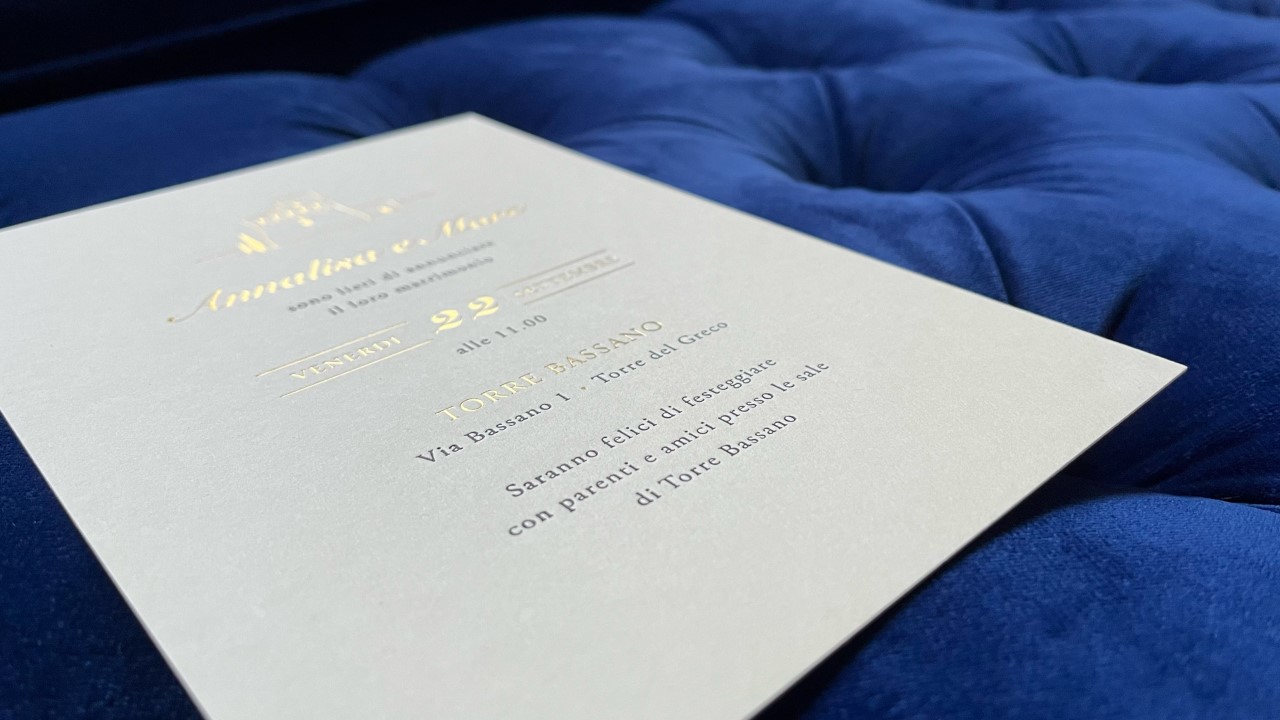
Hot foil printing, sometimes called foil blocking or foil stamping, uses a heated metal die to apply foil onto paper, card or other materials. Popular foil colours include gold, silver, rose gold, copper, white, black and holographic finishes. Unlike traditional printing inks, foil reflects light and creates a luxurious appearance that immediately catches the eye. One of the best ways to use hot foil printing is alongside digital or lithographic printing. A touch of foil can highlight a logo, company name or important design element, helping your print stand out without overwhelming the design.

Hot foil printing is commonly used for:

  • Business cards
  • Wedding invitations
  • Presentation folders
  • Luxury brochures
  • Packaging
  • Certificates
  • Greetings cards

What is Embossing?

Embossing creates a raised image or design by pressing the artwork upwards from the surface of the paper or card. The result is a tactile finish that adds depth and sophistication. Embossing can be used with foil or as a blind emboss, where no ink or foil is applied and the effect relies purely on texture. Blind embossing is particularly popular for luxury branding because it creates a subtle yet highly professional finish. Embossing works especially well on thicker card stocks and is often used for:

  • Premium business cards
  • Corporate stationery
  • Wedding stationery
  • Presentation folders
  • Luxury packaging
  • Certificates

What is Debossing?

Debossing is the opposite of embossing. Instead of raising the artwork, the design is pressed down into the surface of the paper or card, creating a recessed impression. Many designers favour blind debossing because it delivers a clean, contemporary and understated look. The effect is particularly effective on uncoated and textured papers where the depth of the impression can be clearly seen and felt.

Debossing is frequently used for:

  • Luxury business cards
  • Premium packaging
  • Invitations
  • Brand identity materials
  • Artisan product labels

Can You Combine Foiling and Embossing?

Yes. A design can be embossed and foiled at the same time to create a raised metallic effect. This combination is often used by luxury brands, premium product manufacturers and wedding stationers looking to create maximum impact. When used correctly, foil and embossing together can transform a simple piece of print into something memorable and distinctive.

Why Choose Specialist Print Finishing?

In a world dominated by digital communication, tactile print continues to make a strong impression. Hot foiling, embossing and debossing encourage people to interact with your printed materials. The combination of texture, depth and visual appeal creates a premium feel that standard printing alone cannot achieve. These finishing techniques are particularly effective for businesses looking to reinforce quality, professionalism and attention to detail.

Hot Foil Printing, Embossing and Debossing in Norwich, Norfolk

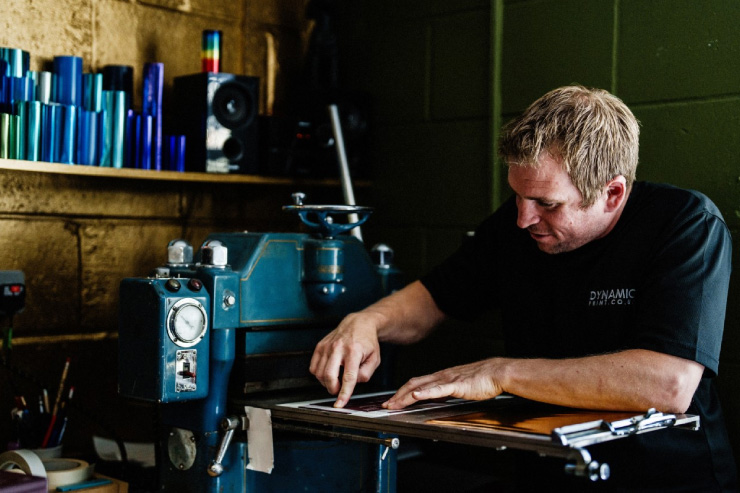
Dynamic Print is one of the few specialist printers in Norfolk offering hot foil printing, embossing, debossing and die cutting in-house. We have been providing specialist print finishing in Norwich since 1990, combining traditional craftsmanship with modern print technology. Many of our finishing processes are produced using traditional Masselley presses dating back to the 1940s and 1950s. These presses give us the ability to create distinctive finishes using pressure and craftsmanship that are very different from standard digital printing. We work with businesses, designers, creative agencies, wedding stationers and marketing teams across Norwich, Norfolk, Suffolk, Cambridge, London and throughout the UK. Whether you require a small bespoke project or a larger production run, our experienced team can help you select the right paper, finish and production method for your requirements.

Frequently Asked Questions

Is hot foil printing the same as embossing?

No. Hot foil printing applies metallic or coloured foil to the surface, while embossing creates a raised impression in the paper or card.

Can you emboss and foil at the same time?

Yes. Combining foil and embossing creates a premium raised metallic effect that is particularly popular for luxury print projects.

What papers work best for embossing and debossing?

Thicker uncoated stocks such as Colorplan, Tintoretto and cotton papers generally achieve excellent results.

Do you offer hot foil printing in Norwich?

Yes. Dynamic Print has been providing hot foil printing, embossing and debossing in Norwich since 1990.

Can you produce short print runs?

Yes. We can produce both bespoke short-run projects and larger production quantities, depending on the requirements of the job.

Contact Dynamic Print

Looking for hot foil printing, embossing or debossing in Norwich, Norfolk or anywhere in the UK? Our team can help with artwork advice, paper selection and specialist finishing options to ensure your project stands out. Call us on 01603 400040 or visit www.dynamicprint.co.uk to discuss your next print project.

Dynamic Print – Specialists in Hot Foil Printing, Embossing, Debossing and Die Cutting since 1990.

Categories
Printing

What are the benefits of Carbon Capture

Carbon Capture: How Printing Can Help Support UK Woodland

When it comes to sustainability, some of the things we’re most proud of at Dynamic Print actually started long before I bought the business. One of those is Carbon Capture. I spent more than 30 years selling paper before I bought Dynamic Print in 2018, including working with Premier Paper. When Premier launched its Carbon Capture initiative, I really liked the idea. I was actually the first Premier salesperson to get 10 printers signed up to Carbon Capture, which I was pretty pleased about! At the time, I thought it was a really simple idea. Printers were already buying paper, so why not make a contribution towards dealing with some of the carbon associated with that paper? Looking at what the scheme has achieved since, I’m even more pleased that I helped get printers involved.

So, what is Carbon Capture?

Carbon Capture is an initiative designed to help address the carbon associated with the paper we use. The carbon associated with the manufacture and distribution of paper is calculated, and a contribution is made through the programme to support woodland creation through the Woodland Trust. For printers, it provides a practical way of making a positive environmental contribution as part of their normal paper purchasing. And that’s what appealed to me from the start. We were already buying paper. Why not make a better choice while doing it?

The numbers really do add up

This is the part I find particularly encouraging. The Carbon Capture programme has contributed £2.37 million, helping to capture an estimated 132,850 tonnes of CO₂ and supporting the planting of 571,060 trees. When you look at those figures, you can see what happens when lots of businesses get involved.

£2.37 million.

132,850 tonnes of CO₂.

571,060 trees.

That’s quite an achievement. One printer on their own isn’t going to change the world. But get lots of printers involved and those small contributions really start to add up.

Supporting the Woodland Trust

The Woodland Trust is the UK’s largest woodland conservation charity, protecting and caring for more than 1,000 sites across the UK. Its work includes protecting ancient woodland, restoring damaged woodland and creating new native trees and woods for people and wildlife. In 2024/25, the Woodland Trust created 2,548 hectares of new woodland, while its existing estate stores around 8.4 million tonnes of CO₂e. I particularly like the fact that Carbon Capture supports woodland here in the UK. It’s not just a figure on a spreadsheet. It’s trees growing in the ground.

What does Carbon Capture mean for your print job?

When you choose Carbon Capture, the paper used for your print project is included within the programme, with the associated carbon calculated and a contribution made towards woodland creation. So whether you’re printing business cards, brochures, stationery, wedding invitations, certificates or something more specialist, there are ways to make a more environmentally conscious choice. We’re not going to pretend that printing has no environmental impact – it does. What we can do is make better choices wherever we can.

Paper can be part of the solution

Paper is a renewable material when it comes from responsibly managed sources, and it can also be recycled. For us, it’s about understanding the paper we’re using, choosing the right stock for the job and thinking about what happens to it afterwards. That’s also why we’ve become so interested in unusual and sustainable papers at Dynamic Print. We work with a range of environmentally conscious stocks, including papers made using coffee husks, cotton, seaweed, agricultural waste and denim fibres, as well as seeded paper that can be planted after use.

A personal connection

I was selling paper when Carbon Capture was launched, so I’ve been involved with the idea from the very beginning. Getting my first ten printers signed up was something I was genuinely proud of. At the time, I don’t think any of us could have imagined the numbers the scheme would eventually reach. Looking at £2.37 million contributed, 132,850 tonnes of CO₂ and 571,060 trees, I’m particularly pleased that I played a small part in getting printers behind the idea. I think that’s the great thing about it. One printer might not make a huge difference, but get lots of printers involved and suddenly those small contributions really start to add up.

Frequently asked questions

Is Carbon Capture the same as carbon offsetting?

Not exactly. Carbon Capture relates specifically to the carbon associated with paper purchased through the programme, with contributions supporting woodland creation.

Does Carbon Capture make my printing carbon neutral?

No. It doesn’t mean a print job has zero carbon emissions. It is a way of making a contribution towards addressing the carbon associated with the paper used.

Where does the contribution go?

The programme supports woodland creation through the Woodland Trust, helping to create and protect valuable UK woodland.

Can I use Carbon Capture for my print project?

It depends on the paper and the particular project, but we’re happy to talk through the options when quoting for your printing.

Sustainable printing in Norwich and Norfolk

At Dynamic Print, we’re always happy to talk about ways of making a print project more environmentally conscious. From Carbon Capture and sustainable papers to seeded paper, recycled stocks and alternative fibre papers, there are plenty of options to consider. You don’t have to change everything overnight. Sometimes, one better choice is a good place to start. If you’d like to talk to us about Carbon Capture or sustainable printing, get in touch with Dynamic Print.


Categories
Envelopes Printing Wedding Stationery

Collaborating with Nova-Terra: Unusual Eco-Friendly Papers for Creative Print

We love working with people who are as passionate about unusual and sustainable materials as we are, so when the opportunity came to collaborate with Nova-Terra, it was a natural fit. Together, we have brought together Nova-Terra’s creative designs with Dynamic Print’s range of unusual eco-friendly papers and specialist printing and finishing. The result is a collection of papers that are not only kinder to the environment but also bring something different to a printed project.

Papers with a story to tell

This collection includes some wonderfully unusual papers made from natural and recycled materials, including 100% cotton, seaweed, agricultural waste, grass, confetti and even elephant poo! We also have a range of seeded papers containing wildflower seeds. These are particularly popular for wedding stationery, invitations and promotional materials because the paper doesn’t have to be thrown away once it has been used – it can be planted and, with a little care, turned into flowers. And we know it really works because we’ve got our own little experiment going on at our industrial estate! Take a look at our garden and you’ll see some of our seeded paper doing exactly what it is supposed to do.

Some of our favourite unusual papers

One of the papers that always gets a reaction is our seaweed paper. It contains 30% seaweed and has a lovely natural appearance. But there’s something else that makes it memorable…

It actually smells like the sea!

Then there’s our coffee husk paper, which contains real coffee husks within the sheet, and our confetti paper, which has colourful pieces scattered through the paper to create a fun and celebratory look. These papers aren’t trying to look like conventional paper and that’s exactly what makes them so interesting.

Sustainable doesn’t have to mean boring

We think sustainable print should still look and feel fantastic. The texture, colour and natural inclusions in these papers can add another dimension to a design, particularly when combined with traditional finishing techniques such as hot foiling, embossing, debossing and die cutting. They can work beautifully for wedding invitations, stationery, packaging, certificates, promotional materials and creative projects where you want the finished piece to stand out.

Would you like to see the papers?

If you’re looking for something a little different from a standard recycled paper, we’d be happy to send you a free eco paper sample pack. There’s really no substitute for seeing and feeling these papers in person. Some of them are quite difficult to describe until you have them in your hands! If you’d like to find out more, get in touch with Dynamic Print and we’ll be happy to help you choose a paper for your project. You can also find out more about our collaboration with Nova-Terra and their creative work by visiting Nova-Terra. We really enjoy working with unusual papers, and this collection is a great example of how sustainable materials can be both environmentally conscious and genuinely exciting to print on.

Categories
Printing Wedding Stationery

What Is a Vectorised File? A Guide to Vector Artwork for Printing

If you’ve ever sent artwork to a printer, you may have been asked:

“Can you send us the artwork as a vectorised file?”

But what exactly is a vectorised file, and why is vector artwork so important for professional printing? At Dynamic Print, we regularly work with vector artwork for hot foiling, embossing, debossing and die cutting, as well as digital and traditional print. Having the correct artwork can make a significant difference to the quality of the finished product.

What is a vectorised file?

A vector graphic is artwork made from mathematically defined lines, curves and shapes, rather than individual pixels. This means a vector logo, illustration or piece of typography can be enlarged or reduced without becoming pixelated or losing its sharpness. Common vector file formats include AI (Adobe Illustrator), EPS and PDF. SVG is also a vector format, although it is more commonly used for digital and web applications. The important thing to remember is that saving a JPEG inside a PDF does not automatically make it a vector file. The artwork itself needs to contain vector paths and shapes.

Why is vector artwork important for printing?

There are several reasons why printers often prefer vector artwork.

  1. Vector artwork can be scaled without losing quality

One of the biggest advantages of vector artwork is that it can be enlarged or reduced while retaining clean, sharp edges. For example, the same vector logo could be used on a business card, a certificate or a much larger printed piece without the artwork becoming pixelated. This is particularly important for logos, typography and illustrations that need to reproduce accurately at different sizes.

  1. Vector artwork produces clean, precise edges

Because vector artwork is made from paths, lines and curves rather than pixels, it is ideal for designs that require crisp edges and fine detail.

This is particularly useful for:

  • Logos
  • Small text
  • Line drawings
  • Illustrations
  • Patterns
  • Packaging artwork
  • Foil artwork
  • Embossing and debossing artwork
  • Die-cutting artwork

For specialist print finishing, precision is particularly important.

Why does Dynamic Print need vector artwork for hot foiling and embossing?

This is where vector artwork becomes especially important to us. At Dynamic Print, we produce traditional hot foil printing, embossing, debossing and die cutting, using specialist equipment and physical dies. For processes such as hot foiling and embossing, the artwork is used to create the tooling or metal die that transfers the design onto the paper. The artwork therefore needs to work not only visually on a computer screen, but also as a physical piece of tooling. Very fine lines, tiny gaps or extremely small lettering can sometimes become problematic when converted into a metal die. That’s why we always recommend supplying the highest-quality vector artwork you have.

Can I use a JPEG for foiling or embossing?

You can send us a JPEG for assessment, but a JPEG is not normally the ideal artwork format for creating a foil or embossing die. JPEGs are raster images made from pixels. If the image is low resolution or has been enlarged, the edges can become soft or pixelated. If your logo or artwork only exists as a JPEG or PNG, don’t worry. Send it to us anyway. We can look at the artwork and advise you whether it is suitable for your project. In some cases, the artwork may need to be recreated or converted into vector artwork before production.

What is the difference between vector and raster artwork?

The easiest way to remember the difference is:

Vector = lines, curves and shapes

Raster = pixels

A vector logo can be enlarged or reduced while retaining its sharpness. A raster image has a fixed number of pixels, so enlarging it too far can result in pixelation or loss of detail. Both types of artwork have an important place in printing. Photographs, for example, are normally raster images and can reproduce beautifully when supplied at an appropriate resolution. The important thing is using the right type of artwork for the job.

What file should I send to a printer?

The preferred file format depends on the printer and the type of work being produced.

Common vector formats include:

  • PDF
  • AI – Adobe Illustrator
  • EPS

For print, a correctly prepared PDF can be an excellent way of supplying finished artwork, while an AI or EPS file can be useful when editable vector artwork is required. If your project involves hot foiling, embossing, debossing or die cutting, it’s always worth checking with your printer before sending the final artwork. At Dynamic Print, we’re happy to advise you on what we need.

What does “vectorising a logo” mean?

If your logo currently exists only as a JPEG or PNG, vectorising it means recreating the artwork as vector shapes and paths. It is important to understand that simply saving a JPEG as a PDF does not vectorise it. The JPEG remains a pixel-based image inside the PDF. True vector artwork consists of editable paths, shapes, lines and curves. For logos and simple artwork, a designer can often recreate the design as vector artwork. More complicated artwork may require additional work to reproduce accurately.

Do fonts need to be outlined?

When supplying final artwork, you may sometimes be asked to outline your fonts. Outlining converts the letters into vector shapes rather than leaving them as editable text. This can help prevent font-substitution problems if the printer doesn’t have the same font installed. However, there is an important tip: Always keep an editable copy of your original artwork before converting fonts to outlines. Once text has been converted to outlines, it is no longer editable as normal text.

Which is better for printing: PDF, AI or EPS?

There isn’t one format that is automatically best for every printing job. The important question is whether the file contains the correct vector artwork and print information required for the job.

As a general guide:

AI – useful as an editable Adobe Illustrator master file.

EPS – a long-established vector format that is still used for certain print and production applications.

PDF – widely used for supplying finished print artwork and can contain both vector and raster elements.

The format alone doesn’t guarantee that a file is suitable for printing. What’s inside the file matters.

Why good artwork matters at Dynamic Print. At Dynamic Print, we don’t simply put your artwork into a printer and press a button. For specialist processes such as traditional hot foiling, embossing, debossing and die cutting, your artwork becomes part of the physical production process.

We need to consider things such as:

  • Line thickness
  • Small text
  • Fine detail
  • Gaps between elements
  • Overall design size
  • Paper or card thickness
  • The depth required for embossing or debossing
  • The type of foil being used
  • How the design will translate into a physical die

This is particularly important when producing intricate certificates, luxury stationery, business cards, wedding invitations and bespoke print. Sometimes a design that looks perfect on a computer screen needs a small adjustment before it can be turned into a successful physical print finish. That’s where experience matters.

Frequently Asked Questions About Vector Files

What is a vectorised file?

A vectorised file contains artwork made from mathematical paths, lines, curves and shapes rather than pixels. This allows the artwork to be scaled without losing its sharpness.

Is a PDF a vector file?

A PDF can contain vector artwork, but not every PDF is a vector file. A PDF can contain vector graphics, raster images, text or a combination of all three.

Is a JPEG a vector file?

No. JPEG is a raster image format made from pixels.

Can you print a JPEG?

Yes. JPEGs can be printed successfully when they have sufficient resolution for the size of the finished print. However, vector artwork may be preferable for logos, typography and specialist processes such as foiling and embossing.

Do I need a vector file for hot foiling?

For hot foiling, vector artwork is generally the preferred starting point because the design needs to be translated into physical tooling. At Dynamic Print, we can assess your artwork and advise you if changes are required.

Do I need a vector file for embossing and debossing?

Vector artwork is strongly preferred for creating embossing and debossing dies because the artwork needs to be converted into physical tooling with accurate lines and shapes.

Can Dynamic Print vectorise my logo?

If you only have a JPEG or PNG of your logo, send it to us and we can look at it. Depending on the complexity of the artwork, it may be possible to recreate it as vector artwork or we can advise you on what is needed.

Need help with your artwork?

Don’t worry if you’re not sure whether your artwork is suitable. Send your file to Dynamic Print and we’ll take a look.

Whether you’re producing business cards, wedding invitations, certificates, stationery, packaging or bespoke printed pieces, we can advise you on the best artwork format for your project. If you’re looking for hot foil printing, embossing, debossing or traditional die cutting in Norfolk, talk to Dynamic Print about your project.

The better the artwork, the better the starting point for beautiful print.

Categories
Printing

What Is Haptic Communication? How Touch Makes Print More Memorable

We often talk about print being something you can see, but some of the most memorable print is something you can feel. Pick up a beautifully produced invitation, business card or certificate and you might notice the texture of the paper, a raised logo, a deep deboss or the smooth finish of foil before you’ve even read the words. This is haptic communication in print using touch and physical sensation to enhance the way printed material is experienced. At Dynamic Print, this is something we work with every day. From embossing and debossing to hot foiling, thermographic printing, letterpress and unusual paper stocks, we create print that doesn’t just look good but feels good too.

What is haptic communication?

Haptic communication is the use of touch to communicate information, create an emotional response or influence how something is perceived. In print, you may also hear terms such as haptic design, tactile print or tactile communication.

There are many ways to introduce a tactile element to print, including:

The idea is simple: rather than experiencing a printed piece only visually, the design engages another sense as well.

Why does touch matter?

We spend so much of our time looking at screens that physical print offers something different. You can see an image of an embossed business card online, but you can’t actually feel the raised surface through a screen. A beautifully finished piece of print can make someone want to pick it up, explore the texture and take a closer look. That physical interaction can help make print more engaging and memorable.

Embossing, debossing and foiling

Embossing raises a design above the surface of the paper or card, while debossing presses it into the material. A blind emboss, where no ink or foil is added, can be particularly effective. The design is created entirely through the shape and movement of the paper. Personally, I think blind embossing is one of the best examples of haptic print. It doesn’t necessarily shout for attention – you discover it when you touch it. Hot foiling adds another dimension. Gold, silver, copper and coloured foils can highlight a logo, name or design detail, and foil can also be combined with embossing to create a finish that is both raised and reflective.

What is thermal printing?

Thermal printing, also known as thermographic printing, is another way of creating a raised, tactile finish. Instead of using an embossing die, a special powder is applied to wet ink and then heated. The powder melts and creates a raised surface that can be both seen and felt. It can be particularly effective for business cards, wedding stationery, invitations, certificates and branded stationery. Thermographic printing and embossing are not the same process, but both can create an interesting tactile effect.

The paper is part of the experience

Haptic communication isn’t only about finishing. The paper itself plays a huge part. At Dynamic Print, we’ve worked with a wide range of conventional, recycled and unusual papers, including seeded paper, seaweed paper, cotton papers, coffee-husk paper and denim paper. Each behaves differently when printed or finished. We have tested some pretty unusual combinations over the years, and that is one of the things I enjoy most about specialist print. You don’t always know exactly how a paper is going to respond until you put it through the press. That’s where experience and testing really matter.

Which finish should you choose?

The right finish depends on the paper, design and impression you want to create.

If you want… Consider…
A subtle effect Blind emboss
A deep impression Debossing
A raised design Embossing
A metallic finish Hot foiling
A raised printed effect Thermographic printing
A traditional impression Letterpress
A distinctive shape Die cutting
Natural texture Specialist paper

More finishing doesn’t necessarily mean better print. Sometimes one beautifully executed emboss on the right paper can be much more effective than several different techniques.

Why traditional finishing still matters

At Dynamic Print, we combine modern digital printing with traditional finishing techniques. We still use vintage Masselley presses, some dating back to the 1940s. They certainly aren’t the newest machines in the industry, but they are incredibly well suited to the traditional finishing processes we specialise in. There is something rather satisfying about using traditional machinery to create finishes that still feel completely relevant today. Embossing, debossing, foiling and letterpress may be traditional processes, but they offer something digital communication simply cannot reproduce – a physical experience.

Frequently Asked Questions

What is haptic communication in print?

Haptic communication in print uses touch, texture and physical finishes such as embossing, debossing, foiling and thermographic printing to enhance the experience of printed material.

Is embossing an example of haptic printing?

Yes. Embossing creates a raised surface that can both be seen and felt, making it a classic example of haptic design.

What is thermal printing?

Thermal printing, or thermographic printing, creates a raised finish by applying special powder to wet ink and heating it.

Can unusual papers be embossed or foiled?

Many can, but results vary depending on the paper’s thickness, texture and composition. Testing is often the best way to establish what will work.

Creating print that can be seen, felt and remembered

For us, haptic communication is really about one simple idea:

Print should be more than something you look at.

The texture of the paper. The impression of a deboss. The raised detail of an emboss. The shine of a foil. The feel of a thermographic finish. These details can make a printed piece more interesting, more distinctive and, ultimately, more memorable. At Dynamic Print, we specialise in hot foiling, embossing, debossing, letterpress, die cutting and thermographic printing, alongside digital printing and a wide range of specialist papers. If you have a project where the finish matters as much as the print, we’d love to talk to you. Sometimes the best way to understand haptic print is simply to pick it up and feel it for yourself.

Categories
Digital Printing Litho Printing Printing

Digital vs Litho Printing: What Is the Difference and Which Printing Process Is Right for You?

When you need something professionally printed, one of the first questions you may be asked is: Should it be digitally printed or litho printed? With so many different printing technologies available today, understanding the difference between digital printing, litho printing and inkjet printing can be confusing. The right process depends on several factors, including the quantity you need, the type of artwork, the paper or substrate you want to use, colour requirements and your budget. At Dynamic Print, we work with a range of professional printing processes and can help you choose the most appropriate method for your project.

What is Digital Printing?

Digital printing is a modern printing process where your artwork is sent directly from a digital file to the printing machine. Unlike traditional litho printing, digital printing does not normally require printing plates. This makes digital printing particularly useful for short print runs, quick turnaround times and personalised or variable-data printing. Digital printing can produce excellent-quality results on a wide range of papers and card stocks, making it a popular choice for business cards, invitations, brochures, stationery, leaflets and other marketing materials.

What are the Advantages of

When you need something professionally printed, one of the first questions you may be asked is: Should it be digitally printed or litho printed? With so many different printing technologies available today, understanding the difference between digital printing, litho printing and inkjet printing can be confusing. The right process depends on several factors, including the quantity you need, the type of artwork, the paper or substrate you want to use, colour requirements and your budget. At Dynamic Print, we work with a range of professional printing processes and can help you choose the most appropriate method for your project.

Digital Printing?

Digital printing offers several important benefits:

  • No traditional printing plates are required.
  • It is economical for shorter print runs.
  • Set-up is generally quick.
  • Jobs can often be produced with a fast turnaround.
  • Personalisation and variable data can be incorporated.
  • It is ideal for producing proofs, prototypes and samples.
  • You can order the quantity you actually need rather than producing large volumes.

For example, if you need 100 personalised invitations, digital printing may be a much more practical option than setting up a litho print run.

You can find out more about our digital printing services.

What is Litho Printing?

Litho printing, also known as offset lithographic printing, is a traditional commercial printing process. Instead of transferring the ink directly from a digital file onto the paper, artwork is transferred onto printing plates. The image is then transferred from the plate to a rubber blanket and finally onto the printing surface. Although the initial set-up for litho printing can take longer than digital printing, litho can become extremely economical when producing larger quantities. Litho printing is commonly used for larger commercial print runs such as brochures, catalogues, magazines, stationery, packaging and other high-volume printed materials.

What are the Advantages of Litho Printing?

Litho printing is particularly useful when you require:

  • Larger print quantities.
  • Consistent colour throughout a print run.
  • Accurate colour reproduction.
  • Pantone or spot-colour printing.
  • High-quality commercial print.
  • Cost-effective production at higher volumes.
  • Specific paper and finishing requirements.

One of the biggest advantages of litho printing is its consistency. Once the press is correctly set up, it can produce large quantities with very consistent results.

What is Inkjet Printing?

Inkjet printing works by placing tiny droplets of ink onto the printing surface to create the image. Inkjet is actually a form of digital printing, although the technology and applications can be quite different from the toner-based digital presses many people are familiar with. Inkjet technology can be used for everything from photographic and fine-art printing to commercial production, signage, packaging and personalised direct mail. It can be particularly useful where you need high-speed production, variable information, large-format printing or a wide range of substrates.

Digital vs Litho Printing: What is the Difference?

The simplest way to think about the difference is: Digital printing is generally suited to shorter, more flexible print runs, while litho printing can become more economical for larger quantities and projects requiring very consistent colour reproduction. However, there isn’t a magic quantity where digital suddenly becomes litho. The most economical option depends on the individual job.

Printing process Best suited to Key advantage
Digital printing Short to medium print runs Speed and flexibility
Litho printing Medium to large print runs Cost efficiency and consistency
Inkjet printing Variable, high-volume and specialist applications Speed and versatility

Is Digital or Litho Printing Cheaper?

This is one of the most common questions we receive, and the answer is: it depends on the quantity and specification of the job. Digital printing generally has lower initial set-up costs, making it attractive for smaller quantities. Litho printing has more preparation and set-up involved, including the production of printing plates. However, once the press is running, producing additional copies can become increasingly economical. This means that for 50, 100 or 250 copies, digital printing may often make more financial sense, while a much larger commercial print run may favour litho. But quantity isn’t the only consideration. Paper choice, colour requirements, finishing, size and turnaround can all influence which process is most suitable.

Which Printing Process Should I Choose?

There isn’t a single answer because every print project is different.

Choose Digital Printing if:

  • You need a relatively small quantity.
  • You need your job quickly.
  • You require personalised or variable information.
  • You want to produce a proof or prototype.
  • You don’t want to commit to a large print run.
  • You need flexibility to reorder smaller quantities.

Choose Litho Printing if:

  • You require a larger quantity.
  • Consistent colour reproduction is particularly important.
  • You need Pantone or spot colours.
  • The economies of scale make litho more cost-effective.
  • You are producing commercial marketing or packaging materials in volume.

Consider Inkjet if:

  • You need variable or personalised information.
  • You require high-speed production.
  • You are working with specialist substrates.
  • You need large-format printing.
  • You have a high-volume application.

What About Specialist Print Finishing?

The printing process is only part of the finished product. At Dynamic Print, we also specialise in traditional and tactile print finishing techniques, including hot foiling, embossing, blind debossing and die cutting. This means your project doesn’t necessarily have to be simply “digital or litho”. For example, you might digitally print your artwork and then add hot foil to create a metallic finish, or combine printing with embossing or die cutting to create something much more tactile and memorable. This combination of processes can be particularly effective for luxury stationery, wedding invitations, business cards, certificates, packaging, invitations and premium marketing materials.

Digital Printing or Litho Printing Which is Best for Your Project?

The best printing process isn’t necessarily the newest or most traditional technology. It is the process that gives you the right combination of quality, quantity, cost, turnaround time, paper and finishing for your particular project. At Dynamic Print, we have extensive experience across digital and specialist print processes and can help you determine the most appropriate solution before you commit to a production run.

Sometimes the answer is digital.

Sometimes it’s litho.

Sometimes it’s inkjet.

And sometimes the best result comes from combining a modern printing process with traditional techniques such as hot foiling, embossing, blind debossing or die cutting. If you’re unsure which printing process is right for your project, talk to Dynamic Print. We can look at your artwork, quantity, paper requirements and desired finish and recommend the most suitable approach. The right printing process can make all the difference to the finished result.

Categories
Printing

What Is Bleed in Printing? Why Do You Need Bleed on a PDF?

If you’ve ever sent artwork to a printer and been asked to “include 3mm bleed”, you may have wondered what that actually means. The good news is that bleed is quite simple. Bleed is the extra area of your artwork that extends beyond the final trim size of your printed piece. It allows the background, images or colours to run right to the edge of the finished product without leaving an unwanted white or paper-coloured border. At Dynamic Print, we often get asked about bleed when customers are preparing artwork for business cards, stationery, wedding invitations, certificates, brochures and specialist print finishing such as hot foiling, embossing and die cutting. So, let’s explain it simply.

What is Bleed in Printing?

Imagine you’re printing an A5 invitation. The finished A5 size is:

148 × 210mm

If your design has a coloured background or photograph that runs all the way to the edge, you don’t want the artwork to stop exactly at the finished edge. Instead, you extend the background beyond the trim line. That extra area is the bleed. A simple way to remember it is: Trim size = the finished size of your printed item. Bleed = the extra artwork beyond the trim that will be cut away. This gives the printer a small amount of tolerance during the trimming process.

Why do you need Bleed on a PDF?

Printing and trimming are highly accurate processes, but there can still be very small variations when sheets are printed, handled and finished. If your artwork stops exactly at the trim edge, even a tiny movement during cutting could leave a narrow white or unprinted line around the edge. For example, imagine a business card with a solid black background. Without bleed, the black background finishes exactly at the cutting line. If the trimming moves slightly, you could see a tiny white edge. With bleed, the black background extends beyond the cutting line. The excess is trimmed away, leaving the finished card with a clean edge. Bleed is therefore a safety margin that helps ensure your finished print looks exactly as intended. How much bleed do you need? For many standard print jobs, 3mm bleed on all four sides is commonly used. However, bleed requirements can vary depending on the type of product, printing process and finishing involved. That’s why you should always check the printer’s artwork specifications before sending your PDF. At Dynamic Print, if you’re unsure about the amount of bleed required for your project, just ask us. We’d much rather help you get your artwork right before it goes into production.

What is a Safe Area?

As well as understanding bleed, it’s important to know about the safe area. The safe area is the space inside the finished trim where you should keep important information such as:

  • Logos
  • Text
  • Contact details
  • Important images
  • Borders
  • Other essential design elements

You don’t want important text sitting directly on the cutting line. Even with accurate finishing, small variations can occur during trimming, so keeping important content safely inside the trim helps ensure your finished piece looks balanced and professional. Think of your artwork as having three areas:

Bleed area – extra artwork that extends beyond the finished size.

Trim area – where the finished piece will be cut.

Safe area – where important text and design elements should remain.

How do you add Bleed to a PDF?

If you’re creating artwork in professional design software such as Adobe InDesign or Adobe Illustrator, you can normally set the bleed when creating your document. For many print jobs, this will be 3mm on each side. When you export your artwork as a print-ready PDF, make sure the bleed is included in the PDF export settings. For example, an A4 document is:

210 × 297mm

With 3mm bleed on each side, the artwork area becomes:

216 × 303mm

The finished product is still A4. The additional area simply provides the printer with the extra artwork needed for trimming.

What Happens if your PDF Doesn’t Have Bleed?

If your design doesn’t run to the edge of the finished product, you may not need bleed. For example, if you have a white background with plenty of space around your text, bleed may not be necessary.

However, if you have a:

  • Full-colour background
  • Photograph running to the edge
  • Pattern
  • Illustration
  • Border
  • Image or design element reaching the edge

then bleed will normally be required. If your PDF doesn’t contain enough bleed, your printer may need to ask you for revised artwork before production.

What About Bleed for Foiling, Embossing and Die Cutting?

At Dynamic Print, we produce much more than standard digital print. We specialise in hot foiling, embossing, blind embossing, die cutting and other specialist finishing techniques, so artwork preparation can sometimes require additional consideration. For example, if you’re producing a bespoke wedding invitation with a printed background, foil and a special die-cut shape, the relationship between the artwork, trim line and finishing becomes particularly important. If you’re unsure, talk to us before sending your artwork. We can advise you on the best way to prepare your file for the finished product you have in mind.

Our simple bleed checklist

Before sending your print-ready PDF, check:

  • Is your document the correct finished size?
  • Does your background or imagery extend into the bleed area?
  • Is important text safely inside the trim area?
  • Have you included the required bleed when exporting your PDF?
  • Have you checked your printer’s artwork requirements?

Need help with your print-ready PDF?

We know that preparing artwork for print can sometimes be confusing, particularly when you’re combining printing with hot foil, embossing, die cutting or specialist papers. If you’re unsure about bleed, trim size, safe areas or preparing your PDF, contact Dynamic Print and we’ll be happy to advise you. Getting those few millimetres right at the beginning can make a big difference to the finished print.

Categories
Envelopes Printing Wedding Stationery

The Ultimate Wedding Printing Checklist: Everything You Need for Your Big Day

Planning a wedding involves hundreds of little details, and wedding stationery is one of the easiest things to overlook. From your first save the date through to your thank you cards, printed details help set the tone for your wedding and bring your overall style together. At Dynamic Print, we specialise in premium wedding printing, including hot foiling, embossing, debossing, die cutting and luxury digital printing. We work with a wide range of beautiful papers and finishes to create wedding stationery that feels as special as the occasion itself. So, what wedding stationery do you actually need?

Here’s our wedding printing checklist to help you plan.

  1. Save the Dates

Your save the date is often the first piece of wedding stationery your guests will see. It should include the essential information:

  • Your names
  • The wedding date
  • The location or general area
  • A note telling guests that a formal invitation will follow

Save the dates can be simple, elegant or highly creative. If you want to make a strong first impression, consider foil printing, embossed details or a specialist paper stock.

  1. Wedding Invitations

Your wedding invitation is arguably the most important piece of your wedding stationery. It needs to provide all the information your guests need, including:

  • Wedding date
  • Ceremony time
  • Venue
  • Reception details
  • RSVP information
  • Dress code
  • Accommodation information, where relevant

You may also want to include additional invitation inserts covering directions, accommodation, transport, your wedding website or other useful information. For a luxury finish, hot foil wedding invitations are particularly popular. Gold, silver, copper and coloured foils can add a beautiful metallic detail, while embossing can give your invitations a tactile, three-dimensional finish.

  1. RSVP Cards

If you are asking guests to formally confirm their attendance, an RSVP card can be included with the invitation. Remember to allow space for:

  • Guest names
  • Attendance confirmation
  • Meal choices
  • Dietary requirements
  • Any other information you need

Including a pre-addressed envelope can also make it easier for guests to return their response.

  1. Order of Service

An order of service helps guests understand what is happening during your ceremony.

It might include:

  • The names of the couple
  • The wedding party
  • Ceremony timings
  • Readings
  • Hymns or music
  • Special acknowledgements
  • The order of the ceremony

This is another opportunity to bring your wedding design together through your choice of typography, paper and finishing.

  1. Wedding Menus

Printed wedding menus don’t just tell guests what they are eating they can also become part of the table styling. Menus can be personalised with each guest’s name or designed as a shared menu for the table. For a luxury wedding, consider combining a beautiful uncoated or textured paper with foil printing, embossing or die cutting.

  1. Place Cards

Place cards make it clear where each guest should sit and can also become a decorative part of your tablescape. They can be printed on a wide variety of papers and cut into different shapes to complement your wedding stationery. For something more memorable, consider foil-stamped place cards or embossed names.

  1. Table Numbers and Table Names

Whether you choose numbers, names, places or something completely personal, your table stationery should be easy for guests to see. Your table numbers or names can be designed to match your invitations and menus, creating a consistent look across your wedding.

  1. Seating Plan

A seating plan is particularly useful for larger weddings. It should be clear and easy to read, allowing guests to quickly find their table. A professionally printed seating plan can also become an important part of your wedding décor. From large-format printed boards to individual cards and beautifully finished paper, there are plenty of ways to make it part of the overall design.

  1. Wedding Signage

Wedding signage helps your guests find their way around the venue while adding personality to your day.

You might need signs for:

  • Welcome signs
  • Ceremony directions
  • Reception directions
  • Seating plans
  • Bar menus
  • Guest books
  • Gift tables
  • Photo booths
  • Wedding favours

Keep the design consistent with your invitations and other stationery so everything feels part of the same wedding.

  1. Wedding Favours and Tags

If you’re giving your guests a wedding favour, a small printed tag can add a personal finishing touch. Tags can include your names, wedding date, a short message or simply a thank you. Specialist die cutting and foil printing can turn a simple favour tag into something much more distinctive.

  1. Guest Books and Other Printed Details

There are plenty of smaller printed items that can easily be forgotten when planning your wedding stationery.

Depending on your wedding, you might also need:

  • Guest book cards
  • Advice cards
  • Thank you tags
  • Confetti cones
  • Drink tokens
  • Bar menus
  • Cocktail cards
  • Table plans
  • Wedding favour labels

You don’t necessarily need all of these the right stationery depends on your wedding and your venue.

  1. Thank You Cards

After the wedding, don’t forget your thank you cards. These are traditionally sent to guests who attended your wedding or gave you a gift. You could include a favourite photograph from your wedding day or continue the same design used throughout your wedding stationery.

Don’t Forget the Printing Details

Once you’ve decided what you need, there are a few practical things to consider before sending your artwork to print.

Check your quantities

Don’t order exactly the number of guests attending. It’s always sensible to allow for a few extras, particularly with invitations, menus and place cards.

Check your artwork carefully

Proofread names, dates, addresses, timings and dietary information carefully before approving your artwork. Once something has been printed, mistakes can be expensive to correct.

Think about your paper

Your choice of paper can completely change the look and feel of your wedding stationery. At Dynamic Print, we work with a wide range of premium and specialist papers, including textured, recycled and environmentally considered stocks.

Consider finishing

If you’re looking for something more luxurious, think about whether hot foiling, embossing, debossing or die cutting could enhance your design. These processes add texture and dimension that you simply don’t get from standard digital printing.

When Should You Order Your Wedding Printing?

Don’t leave your wedding stationery until the last minute. Save the dates are generally sent well before the invitations, while invitations need to allow guests plenty of time to RSVP. On-the-day stationery such as menus, place cards and table plans can be finalised closer to the wedding once your guest numbers are confirmed. If you’re using specialist finishing such as foil blocking, embossing or die cutting, allow additional production time.

Your Wedding Printing Checklist

To make planning easier, here’s the complete list:

  •  Save the dates
  •  Wedding invitations
  •  RSVP cards
  •  Information cards
  •  Order of service
  •  Wedding menus
  •  Place cards
  •  Table numbers or names
  •  Seating plan
  •  Welcome signs and venue signage
  •  Wedding favour tags
  •  Guest book cards
  •  Bar or cocktail menus
  •  Confetti cones or tags
  •  Thank you cards

Beautiful Wedding Printing at Dynamic Print. Your wedding stationery should feel as special as the day itself. At Dynamic Print, we combine traditional printing craftsmanship with modern digital printing, specialising in techniques including hot foiling, embossing, debossing and die cutting. Whether you’re looking for elegant wedding invitations, luxurious foil stationery, beautifully embossed menus or a complete set of coordinated wedding printing, we’d love to help you create something memorable.

Planning your wedding stationery? Get in touch with Dynamic Print to discuss your ideas, papers, printing and finishing options.

Categories
Printing

What Size Should My Leaflet Be? A Guide to UK Leaflet Sizes

Choosing the right leaflet size is an important part of creating effective printed marketing. The size you choose can affect how much information you can include, how easy the leaflet is to handle and, ultimately, how your message is presented. At Dynamic Print in Norwich, Norfolk, we print leaflets in a wide range of sizes, formats and paper stocks, from simple promotional flyers to premium folded brochures and bespoke marketing pieces. So, what size should your leaflet be? For most promotional campaigns, A5 is one of the most popular leaflet sizes in the UK. However, A4, A6 and DL are also widely used, depending on the amount of information you need to communicate and how the leaflet will be distributed.

Popular Leaflet Sizes in the UK

A4 Leaflets – 210 × 297mm A4 is a good choice when you have a lot of information to communicate. It provides plenty of space for photographs, text, diagrams, product information or pricing and is often used for:

  • Company information
  • Product brochures
  • Menus
  • Event information
  • Detailed promotional material
  • Information sheets

A4 can also be folded to create smaller finished formats, making it a versatile option for printed marketing.

A5 Leaflets – 148 × 210mm A5 is one of the most popular choices for leaflet printing. It offers a good balance between space and portability, making it particularly effective for promotional campaigns, events, retail marketing and direct mail. A5 leaflets are commonly used for:

  • Business promotions
  • Events and exhibitions
  • Restaurant and takeaway promotions
  • Charity campaigns
  • Product launches
  • Local marketing
  • Wedding and event stationery

If you’re unsure what size leaflet to choose, A5 is often a good starting point.

A6 Leaflets – 105 × 148mm A6 is a compact format that works particularly well when you need a simple message that is quick to read. A6 leaflets are often used for:

  • Promotional offers
  • Postcards
  • Event promotions
  • Save the dates
  • Appointment cards
  • Small promotional campaigns

Because A6 is compact, it can also be an economical choice when you don’t need a large amount of space. DL Leaflets – 99 × 210mm DL is another very popular UK print size, particularly for mailshots and promotional material. Its long, narrow format makes it easy to handle and ideal for fitting inside a standard DL envelope. DL leaflets are often used for:

  • Direct mail
  • Menus
  • Price lists
  • Promotional offers
  • Event information
  • Business introductions

Which Leaflet Size Should I Choose?

The right size depends on what you want your leaflet to achieve.

Choose A4 if: you have a lot of information, photographs or products to showcase.

Choose A5 if: you want an effective all-round promotional leaflet with enough space for information without being too large.

Choose A6 if: you want something compact and easy to distribute.

Choose DL if: your leaflet is being mailed, inserted into an envelope or you prefer a long, narrow format.

There is no single “best” leaflet size. The right choice depends on your content, audience, distribution method and budget.

What About Folded Leaflets?

Your finished leaflet doesn’t have to be a single flat sheet. Folding can create additional panels and give your printed marketing a more structured and professional appearance. For example, an A4 sheet can be folded to create a smaller finished piece, while an A3 sheet can be folded down to A4. Common folding styles include:

  • Half fold
  • Tri-fold
  • Roll fold
  • Gate fold
  • Concertina fold

If you’re considering a folded leaflet, it is important to allow for the fold positions when preparing your artwork. At Dynamic Print, we can advise you on the most suitable finished size and folding method for your project.

What Is SRA Paper?

You may also come across SRA paper sizes when discussing your leaflet with a printer. SRA stands for Supplementary Raw Format. These sheets are slightly larger than the corresponding A-series sizes, giving the printer additional room for trimming and bleed. For example:

SRA3 – 320 × 450mm

This is a commonly used sheet size in professional printing and is particularly useful when producing smaller finished formats such as A4 and A5. The important thing to remember is that SRA is generally a printer’s sheet size rather than the finished size of your leaflet.

What Is Bleed and Why Does My Leaflet Need It?

If your design has colour, photographs or graphics running right to the edge of the leaflet, you will normally need to include bleed in your artwork. Bleed provides a small area beyond the finished trim size. This allows the printer to trim the sheet accurately without leaving unwanted white edges. For example, if you are designing an A5 leaflet, the finished size is 148 × 210mm, but your artwork will normally need to be supplied slightly larger to allow for trimming and bleed. If you’re unsure about preparing your artwork, speak to us before sending your files. Or check out our blog for sending files with bleed here.

A-Series Paper Sizes

The A-series is based on the international ISO 216 paper-size standard. Each size is approximately half the area of the previous size. Some of the most commonly used sizes are:

  • A0: 841 × 1189mm
  • A1: 594 × 841mm
  • A2: 420 × 594mm
  • A3: 297 × 420mm
  • A4: 210 × 297mm
  • A5: 148 × 210mm
  • A6: 105 × 148mm
  • A7: 74 × 105mm

For most everyday leaflet printing, A4, A5 and A6 are the sizes you’re most likely to consider.

Can My Leaflet Be a Bespoke Size?

Absolutely. Although standard sizes are popular because they are familiar and can be cost-effective to produce, there is no reason your printed marketing has to look like everyone else’s. At Dynamic Print, we can produce bespoke printed pieces using different paper stocks, finishes and traditional print techniques. For businesses looking for something more distinctive, options can include:

  • Premium papers
  • Hot foiling
  • Embossing
  • Blind debossing
  • Die cutting
  • Specialty and sustainable papers

A carefully chosen paper stock and finishing process can turn a simple leaflet into something that people want to keep rather than throw away.

What Paper Should I Use for My Leaflet?

The paper you choose is just as important as the size. A lightweight stock may be suitable for high-volume promotional distribution, while a heavier or more tactile paper can give a premium feel. At Dynamic Print, we also offer a range of unusual and sustainable paper stocks, including recycled and speciality papers, which can help businesses create printed marketing that reflects their brand values. If your leaflet is intended to make a strong impression, we can help you choose a paper and finishing combination that suits your design and budget.

Leaflet Printing in Norwich and Norfolk

Choosing the right leaflet size doesn’t need to be complicated. As an experienced print company in Norwich, Norfolk, Dynamic Print can help you choose the right size, paper, finish and production method for your project. Whether you need A4, A5, A6, DL, folded or bespoke leaflets, we can advise you on the most appropriate format before you commit to your artwork.

Need Help Choosing Your Leaflet Size?

If you’re unsure what size, paper or finish would work best for your project, give Dynamic Print a call on 01603 400040. We’re happy to talk through your requirements and help you find the right printed solution. Dynamic Print – professional leaflet printing in Norwich and Norfolk, with traditional craftsmanship and modern print technology.